Công ty cổ phần công nghệ và tư vấn CIC
Specialized
Home > News > Specialized > enjiCAD 2027 Officially Launched with Breakthrough Performance and an Enhanced Design Experience
enjiCAD 2027 Officially Launched with Breakthrough Performance and an Enhanced Design Experience...

CIC Connects with More Than 100 International Technology Companies, Bringing Global Technology...

Real-Time Landslide Monitoring: Lessons the Sichuan Rescue Operation

What Is a Low Emission Zone? Impacts and What Businesses Need to...
Applications of Artificial Intelligence (AI) in Geoscience
Nội dung chính
enjiCAD 2027 Officially Launched with Breakthrough Performance and an Enhanced Design Experience
16/09/2026
Lượt xem 7
Building on the success of enjiCAD 2026, the enjiCAD software development team is proud to introduce enjiCAD 2027. This new version delivers comprehensive improvements in performance, workspace optimization, and intelligent design tools.
.png)
enjiCAD 2027 is designed to free engineers repetitive manual tasks, allowing them to focus on developing complex design ideas while helping businesses optimize their software licensing costs. Let us explore the key new features and improvements introduced in this release.
1. Enhanced Software Performance and Graphics
In enjiCAD 2027, the memory management architecture has been restructured and multi-core processing algorithms have been upgraded, delivering faster and more responsive performance across design tasks.
-
All-New Memory Pool: The new memory management mechanism significantly improves the speed of opening, reading, and saving large drawing files, including files hundreds of megabytes in size. Common geometric operations such as MOVE, ROTATE, MIRROR, and COPY can now be performed more smoothly on complex 2D drawings and 3D models, with virtually no noticeable delay.
-
Hardware Acceleration and GPU Utilization: enjiCAD 2027 takes greater advantage of graphics card performance to provide smoother visualization of complex objects, instant Pan and Zoom operations, and consistently sharp graphics even when working with drawings containing a high density of lines and objects.
2. Newly Introduced Features and Tools
Dynamic Block Parametric Constraints
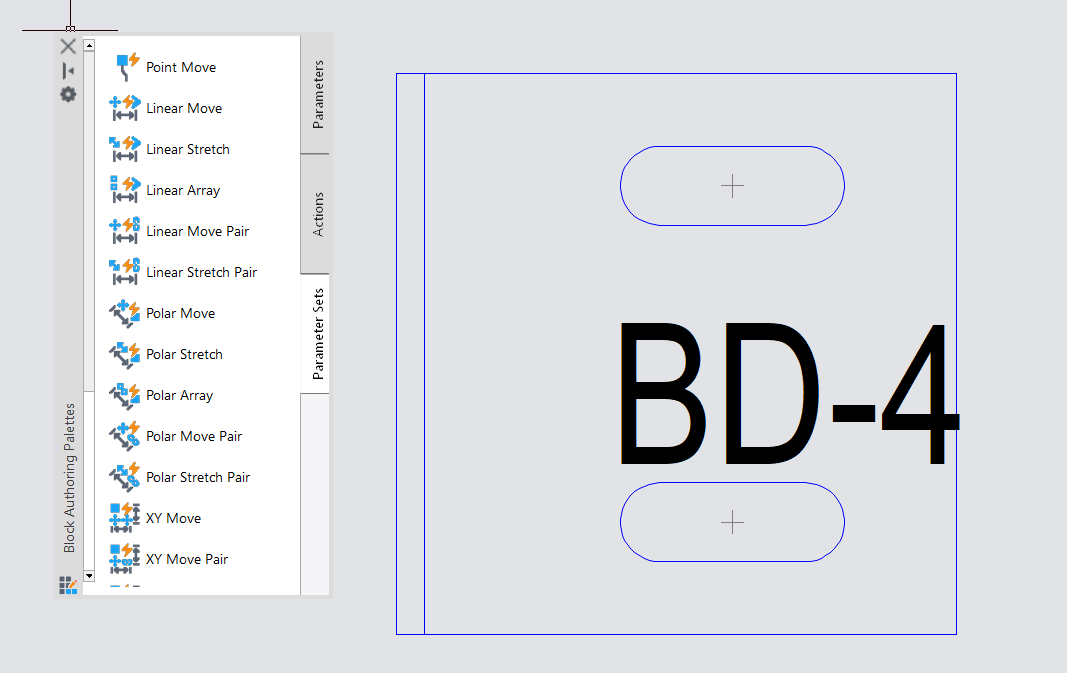
Dynamic Block Parametric Constraints are one of the most significant improvements in enjiCAD 2027. By combining Dynamic Blocks with dimensional and geometric constraints, engineers can manage the variable properties of objects more efficiently. Users can define flexible dimensional parameters so that block proportions and geometry automatically adjust to real-world design requirements without creating multiple blocks manually.
Automatic Centerlines and Center Marks
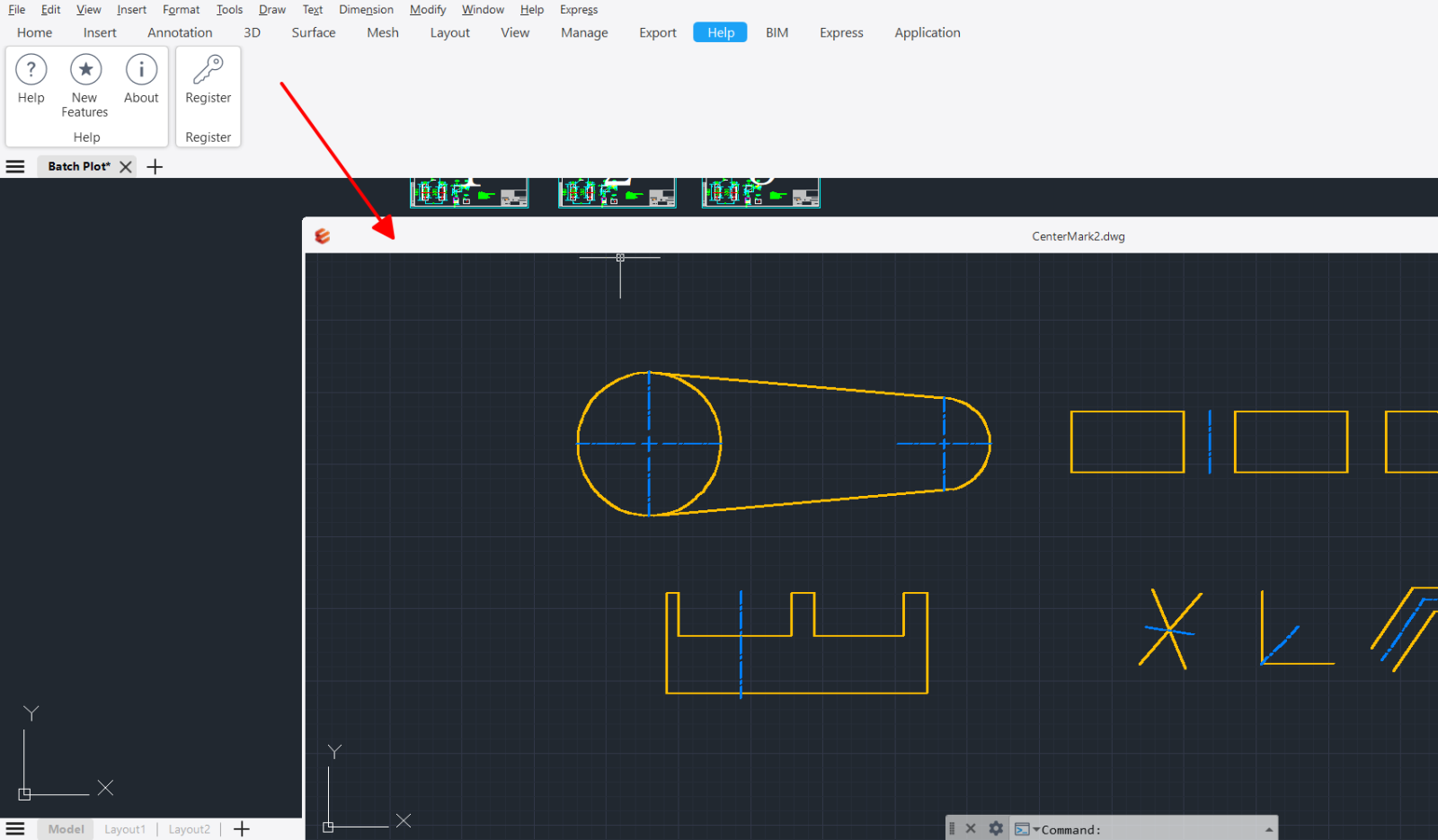
The new Centerline tool allows users to quickly create centerlines between two selected lines or polylines. The Center Marks feature places accurate center marks on circles, arcs, and polygons with a single click. These tools reduce alignment work and save time when preparing mechanical, structural, and architectural drawings.
Point Cloud Data Processing
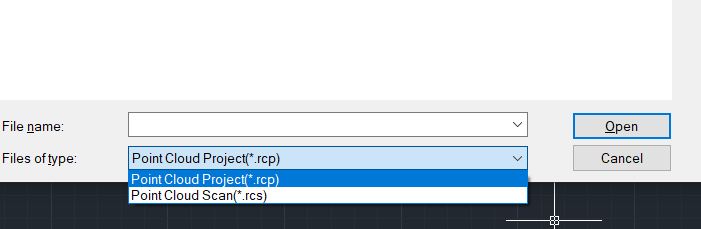
To support digital surveying and existing-condition documentation, enjiCAD 2027 integrates powerful Point Cloud management and processing capabilities. Engineers can import 3D laser scanning data directly into the enjiCAD environment, extract cross-sections, and convert point cloud data into accurate 2D drawings and 3D models.
Flexible Floating Drawing Windows
Drawing tabs can now be separated into independent floating windows. Users can drag drawings to different monitors, making it easier to compare files, review information, and copy objects directly between drawing windows without repeatedly switching tabs.
Improved Command Line
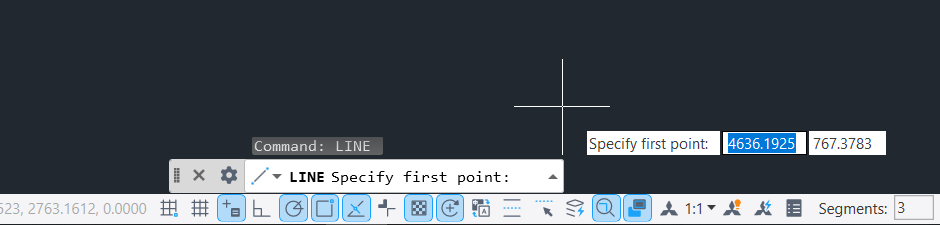
The Command Line interface in enjiCAD 2027 has been comprehensively upgraded. Users can flexibly adjust both its width and height. The new Command Line also supports text selection and easier copying of command history, helping engineers quickly review and reuse complex command sequences.
3. User Experience Improvements
|
Feature or tool |
Improvements in enjiCAD 2027 |
|
Batch Plotting |
Users can customize the printing order, preview the page list, and quickly export multi-sheet PDF files. |
|
Plot Preview |
The interface architecture has been optimized to display line quality and color tones more accurately. Unnecessary toolbars have been removed so users can focus on the print output. |
|
Cross-App Copy and Paste |
DWG data exchange between enjiCAD and other applications has been improved, preserving object formatting, colors, and pasted-area boundaries. |
|
Hatch Boundary Extension |
The new “Use Current Drawing” option expands the automatic boundary detection range, improving hatch accuracy and reducing manual selection. |
|
Automatic Input Method Switching |
enjiCAD automatically adjusts the input method when users switch between CAD commands and Text or Mtext input, helping prevent Vietnamese typing errors while entering commands. |
|
Full-Screen Exit Notification |
A notification appears at the top of the screen to show users how to exit Full Screen mode, helping prevent workflow interruptions caused by accidental operations. |
4. enjiCAD 2027 and AutoCAD Comparison
The following comparison gives businesses and engineers a clearer overview when selecting a suitable CAD software solution.
|
Feature or criterion |
enjiCAD 2027 |
AutoCAD |
|
Licensing model |
Flexible licensing with both perpetual and subscription options |
Annual subscription only |
|
File compatibility |
Full DWG and DXF compatibility, with extended support for IFC, STEP, STL, PDF, SVG, and other formats |
Supports standard DWG and DXF formats |
|
User interface |
Familiar interface, shortcuts, commands, and Ribbon toolbar, minimizing retraining requirements |
Standard AutoCAD interface |
|
Local technical support |
Direct Vietnamese-language technical support CIC engineers in Hanoi and Ho Chi Minh City |
International technical support |
|
Investment cost |
Highly cost-effective, helping businesses save more than 80% of their CAD software budget |
Higher cost with recurring renewal fees |
|
Processing performance |
Significantly improved performance when working with large files |
Performance depends heavily on the software version and hardware configuration |
|
Dynamic Blocks |
Includes advanced parametric constraint conditions |
Standard Dynamic Blocks |
|
Batch Plotting |
Additional options for page and file preview and multi-sheet PDF export |
Standard batch plotting features |
5. A Cost-Effective Licensed CAD Solution for Vietnamese Businesses
.png)
Developed and distributed by CIC, a company with more than 35 years of experience in software, engineering technology, and consulting solutions, enjiCAD has established itself as one of the leading licensed CAD alternatives in Vietnam.
The key advantages of enjiCAD 2027 include:
-
High compatibility: enjiCAD reads and writes standard DWG and DXF files effectively. Its familiar Ribbon and Classic interfaces allow engineers to start working without extensive retraining.
-
Reasonable investment costs: Businesses can choose between perpetual and subscription licenses, potentially saving up to 80% compared with other CAD solutions.
-
Official technical support in Vietnam: CIC’s experienced engineering team provides assistance with installation, data migration, and technical troubleshooting.
-
A flexible, multi-platform ecosystem: enjiCAD supports a wide range of IT environments and business deployment requirements.
Register for a Free Trial and Solution Consultation
The enjiCAD 2027 trial version will soon be available on the official enjiCAD website.
Customers and businesses interested in the new release can register to receive launch updates and download a free 30-day trial at: https://enjicad.vn
CIC Technology and Consultancy Joint Stock Company
- Head Office: 4th Floor, VG Building, 235 Nguyen Trai Street, Khuong Dinh Ward, Hanoi, Vietnam
- Ho Chi Minh City Branch: 36 Nguyen Huy Luong Street, Binh Thanh Ward, Ho Chi Minh City, Vietnam
- Hotline:
- Hanoi: 024 3976 1381
- Ho Chi Minh City: 088 645 2020 | 028 6289 9022 | 028 6289 9033
- Email: cichcm@cic.com.vn | cic.dcs@cic.com.vn
- Websites: https://www.cic.com.vn | https://www.enjicad.vn
Thank you for your continued trust and support for enjiCAD and CIC.